


On its Chrome Enterprise blog, Google announced some excellent new ChromeOS privacy controls coming to Chromebooks. These specifically relate to the device microphone and webcam. Essentially, you’ll have one place to manage access to your Chromebook’s mic and camera. I see this as a nice upgrade for Chromebooks that don’t have physical “kill switches” for audio and video inputs. The feature stems from work first reported in September.
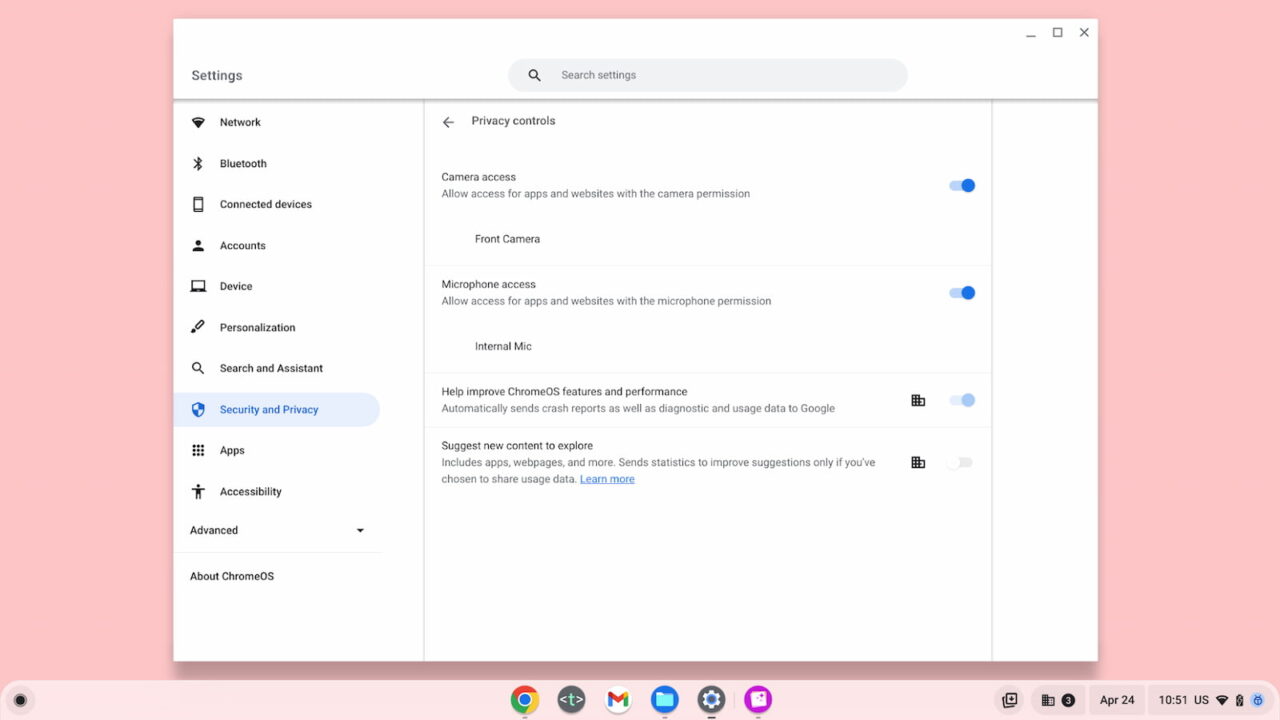
A single place for ChromeOS privacy controls
The goal here seems to be two-fold.
First, to enhance system-level permissions in ChromeOS for microphone and webcam access. Second, to offer a single place for these ChromeOS privacy controls. And that single place is in the ChromeOS settings, per Google’s announcement:
Later this year, users will be able to manage their camera and microphone settings across the operating system from one place in Settings. This way it only takes one click for users to completely turn off their camera or microphone all from one place when they need extra confidence in staying on mute.
While Google says the new ChromeOS privacy controls will arrive “later this year”, I’m told they’re already in the ChromeOS 113 Beta Channel if you want to take them for a spin.
I don’t currently have any devices on the Beta Channel, so I don’t know if there’s a flag for this feature. If you don’t see the new controls in Settings, browse over to chrome://flags. I suspect a search for “microphone” will surface the experimental flag if there is one.
How the new ChromeOS privacy controls work with a mic and camera
Although I can’t use the feature yet, I did receive an animated GIF of how the controls work, using the example of a Google Meet call.
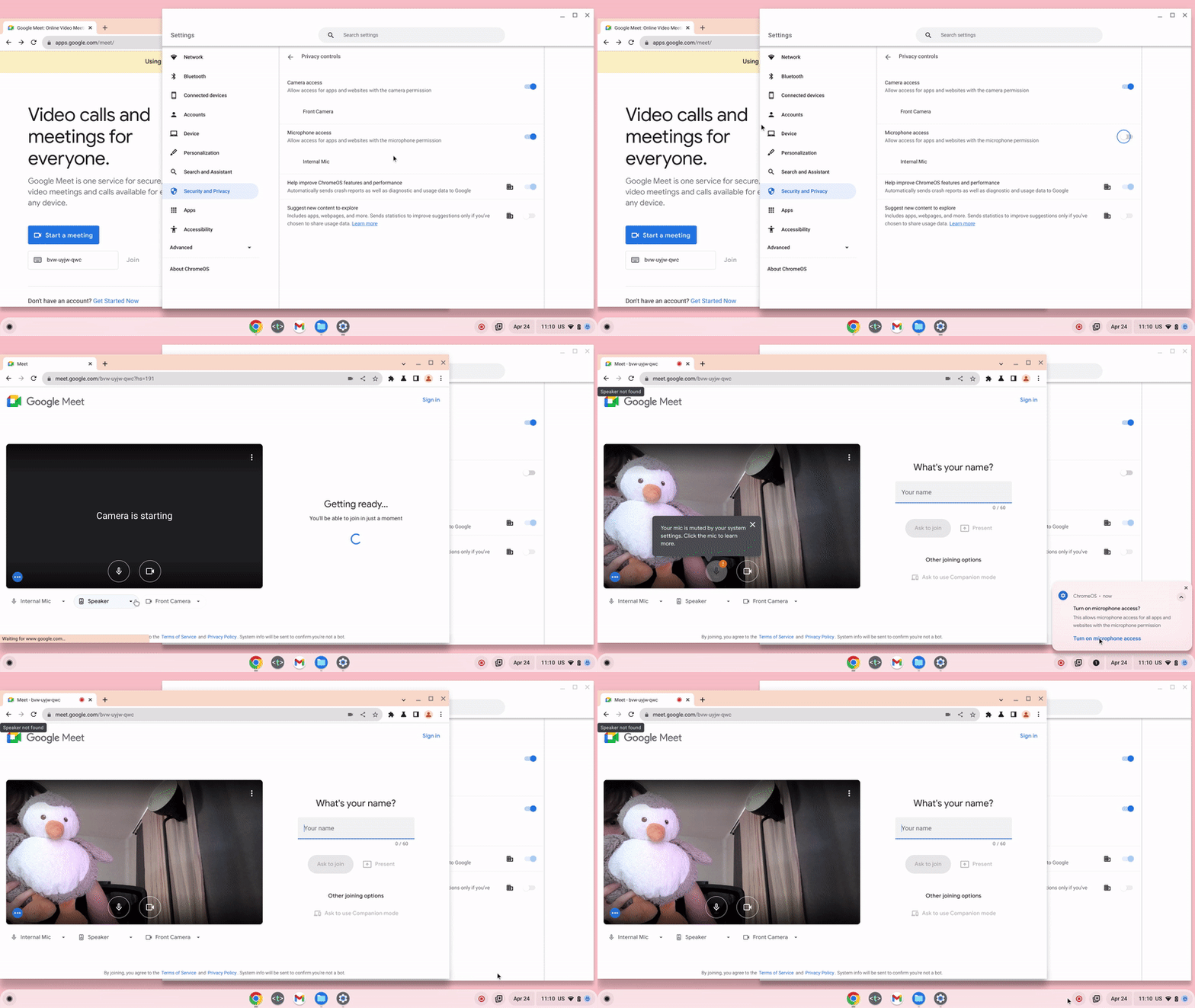
You can see that this more like a system-wide kill switch for the mic and camera. It’s akin to the physical privacy shutters that disable camera, microphone, or both on newer Chromebooks. So it’s a software approach to provide the security of hardware solution.
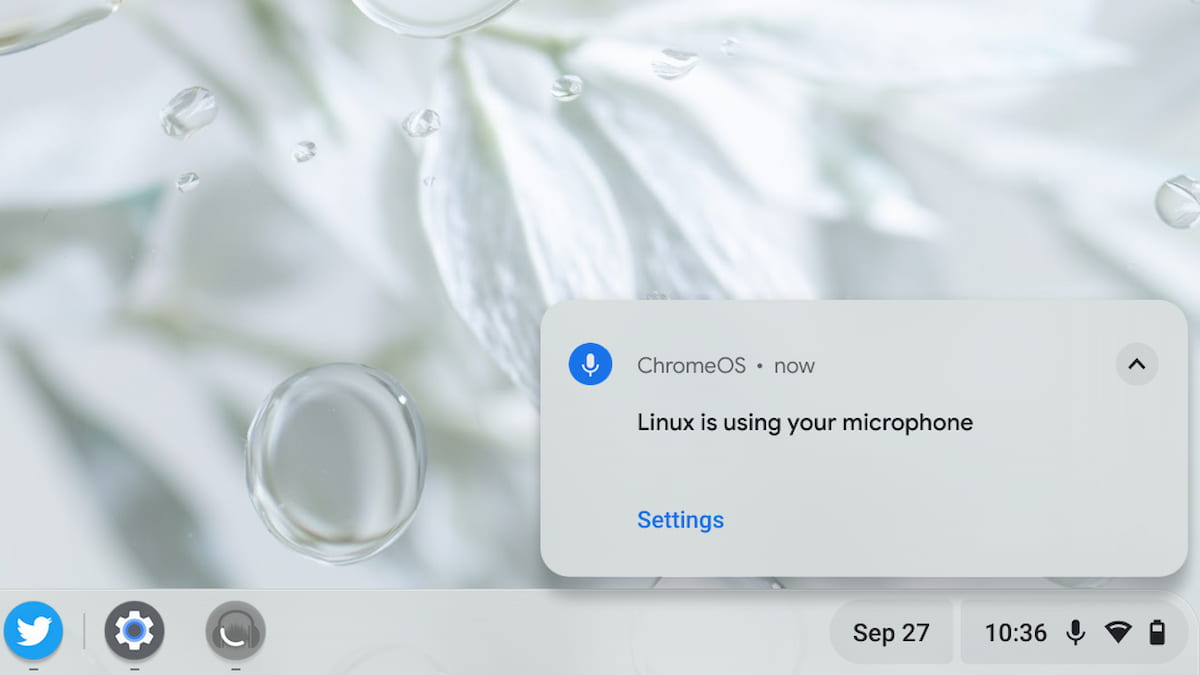
Personally, I’d rather have a physical switch for privacy. The best ones don’t rely on software all but instead cut the power or connection to a Chromebook mic and camera.
Software can be hacked, of course. Still, it should provide an additional level of privacy on older Chromebooks. And it’s not like Google can change the hardware of old ChromeOS laptops.
Individual site permissions aren’t going away
Note that I said earlier this feature enhances system-level permissions in ChromeOS for microphone and webcam access. I don’t want you to think that the existing microphone and camera permissions process is going away. It isn’t. You’ll still have to grant access for an app or website to use your Chromebook audio and video inputs.
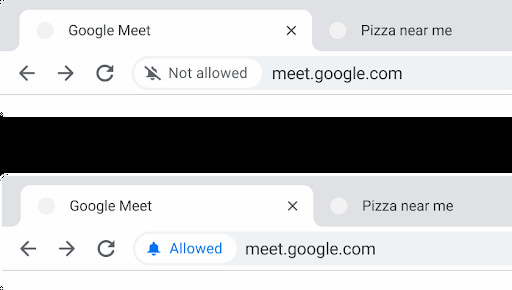
The enhancement part is a single place to disable those inputs at any time. You’ll see indicators when the mic and webcam are in use as you always did but you can quickly kill them as needed.
